

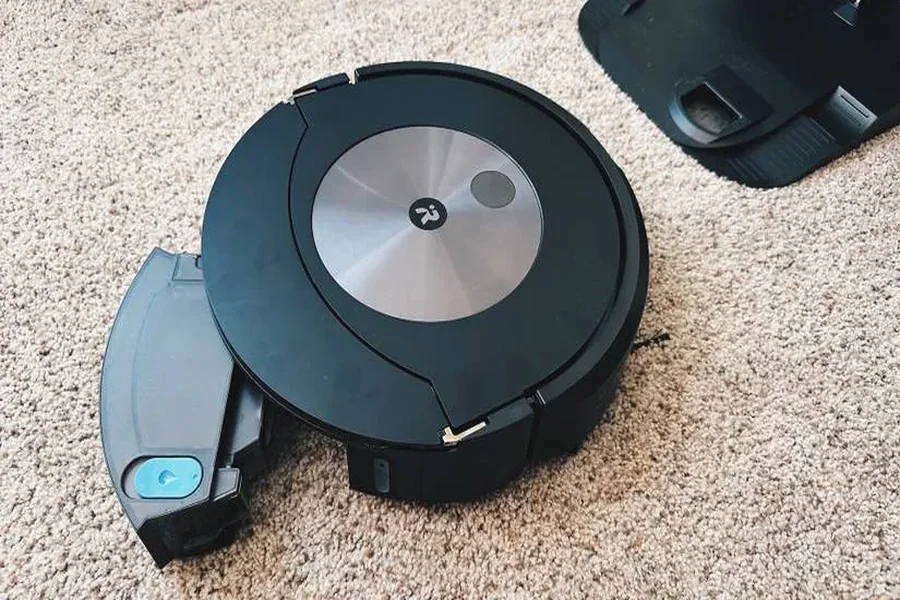
Smart robot vacuums have become an essential part of modern households, offering hands-free convenience, smart navigation, and time-saving cleaning power. Whether you own a high-end model or a budget-friendly version, your robot vacuum works hard to keep your floors spotless. But like any electronic appliance, it needs proper care to stay efficient and last longer.
Here’s a complete guide on how to maintain your smart robot vacuum — and extend its lifespan so it can serve you for years to come.
1. Empty the Dustbin Regularly
One of the simplest but most important habits you can develop is emptying your robot vacuum’s dustbin after every cleaning cycle. When the dustbin is full, airflow becomes restricted, reducing suction power and cleaning performance. Over time, this can strain the motor and shorten its lifespan.
- Tip: After each cleaning, remove the dustbin and tap out debris over a trash can.
- For deeper cleaning: Wash the bin with mild soap and water once a week, but make sure it’s completely dry before reinserting it.
If your robot vacuum has a self-emptying base, check and replace the bag regularly to prevent overfilling, which can affect suction efficiency.
2. Clean the Brushes and Rollers Weekly
The main brush and side brushes are critical for picking up dust, hair, and debris. Unfortunately, they can easily get tangled with hair or threads — especially in homes with pets.
- Main brush: Remove it weekly and clean out tangled hair using the included cleaning tool or a pair of scissors.
- Side brushes: Wipe them clean with a damp cloth. If they start to bend or fray, it’s time for a replacement.
- Brush bearings: Check for hair wrapped around the ends, as buildup here can strain the brush motor.
Keeping these parts clean not only ensures optimal performance but also prevents unnecessary wear on the vacuum’s internal components.
3. Keep the Sensors and Cameras Clean
Smart robot vacuums rely on sensors and, in many models, built-in cameras or LiDAR systems to navigate your home. Dust accumulation on these sensors can cause navigation errors, collisions, or incomplete cleaning patterns.
- Use a soft microfiber cloth to gently wipe the sensors and cameras once a week.
- Avoid using water or cleaning sprays directly on the sensors — they can damage sensitive components.
Regular cleaning ensures your robot continues to map accurately and avoid obstacles effectively.
4. Wash or Replace Filters Frequently
Your vacuum’s filter traps dust and allergens, ensuring cleaner air and efficient suction. Over time, filters become clogged, reducing airflow and causing the motor to work harder than necessary.
- Foam and sponge filters: Wash with water once every 2–3 weeks, then let them air dry completely.
- HEPA filters: Tap them gently to remove dust, but avoid washing unless the manufacturer specifies it.
- Replacement frequency: Change filters every 2–3 months for optimal performance.
Pro tip: Keep a set of replacement filters on hand so you can easily swap them out when needed.
5. Maintain the Wheels and Charging Contacts
The wheels help your robot vacuum move smoothly across floors and carpets. When dirt or hair gets trapped in them, mobility issues arise — your vacuum might struggle to turn, stop abruptly, or display navigation errors.
- Wheel maintenance: Remove debris from the wheels weekly using a brush or tweezers.
- Charging contacts: Wipe the metal contacts on both the robot and charging dock with a dry cloth. Dirty contacts can prevent proper charging and shorten battery life.
Routine cleaning of these components helps your robot dock efficiently and operate smoothly across different surfaces.
6. Keep Firmware Updated
Just like your smartphone or computer, your robot vacuum relies on software to function efficiently. Manufacturers frequently release firmware updates that fix bugs, improve mapping algorithms, and optimize cleaning performance.
- Connect your robot vacuum to its companion app.
- Enable automatic updates or check manually once a month.
Running the latest firmware ensures your vacuum continues to operate at peak efficiency — and sometimes even extends hardware longevity by reducing strain on key components.
7. Create a Clutter-Free Cleaning Environment
Your robot vacuum performs best in an organized space. When it constantly bumps into toys, cables, or furniture legs, it expends more energy, wears down its sensors faster, and increases the chance of damage.
- Before each cleaning session: Pick up loose items, secure wires, and move lightweight rugs.
- Use virtual walls or boundary strips if your model supports them, to restrict cleaning zones.
A clutter-free space not only improves cleaning results but also reduces stress on the vacuum’s navigation system and moving parts.
8. Handle the Battery with Care
The battery is one of the most expensive components to replace. To extend its lifespan:
- Always allow your robot vacuum to return to its dock after cleaning so it can recharge properly.
- Avoid storing the robot with a low battery for long periods — lithium batteries deteriorate faster when left discharged.
- If you’re not using it for a while, store it in a cool, dry place and charge it to around 50–60%.
Most batteries last 2–3 years with proper care, but following these tips can help you stretch that even further.
Final Thoughts
Your smart robot vacuum is an investment in convenience and cleaner living. With a little regular maintenance — cleaning filters, brushes, and sensors, keeping the firmware updated, and replacing parts on schedule — you can easily extend its lifespan by several years.
Whether you use it daily or a few times a week, the key is consistency. Treat your robot vacuum with care, and it’ll reward you with spotless floors, improved air quality, and more free time to enjoy your day.
If you’re looking for a reliable model that’s built for durability and easy maintenance, explore the latest smart robot vacuums from MOVA — designed with advanced navigation, powerful suction, and self-cleaning features to make home cleaning effortless.
